
The Genie Company
Universal Wireless Entry Keypad GUK-BX
Universal Wireless Entry Keypad GUK-BX
Couldn't load pickup availability
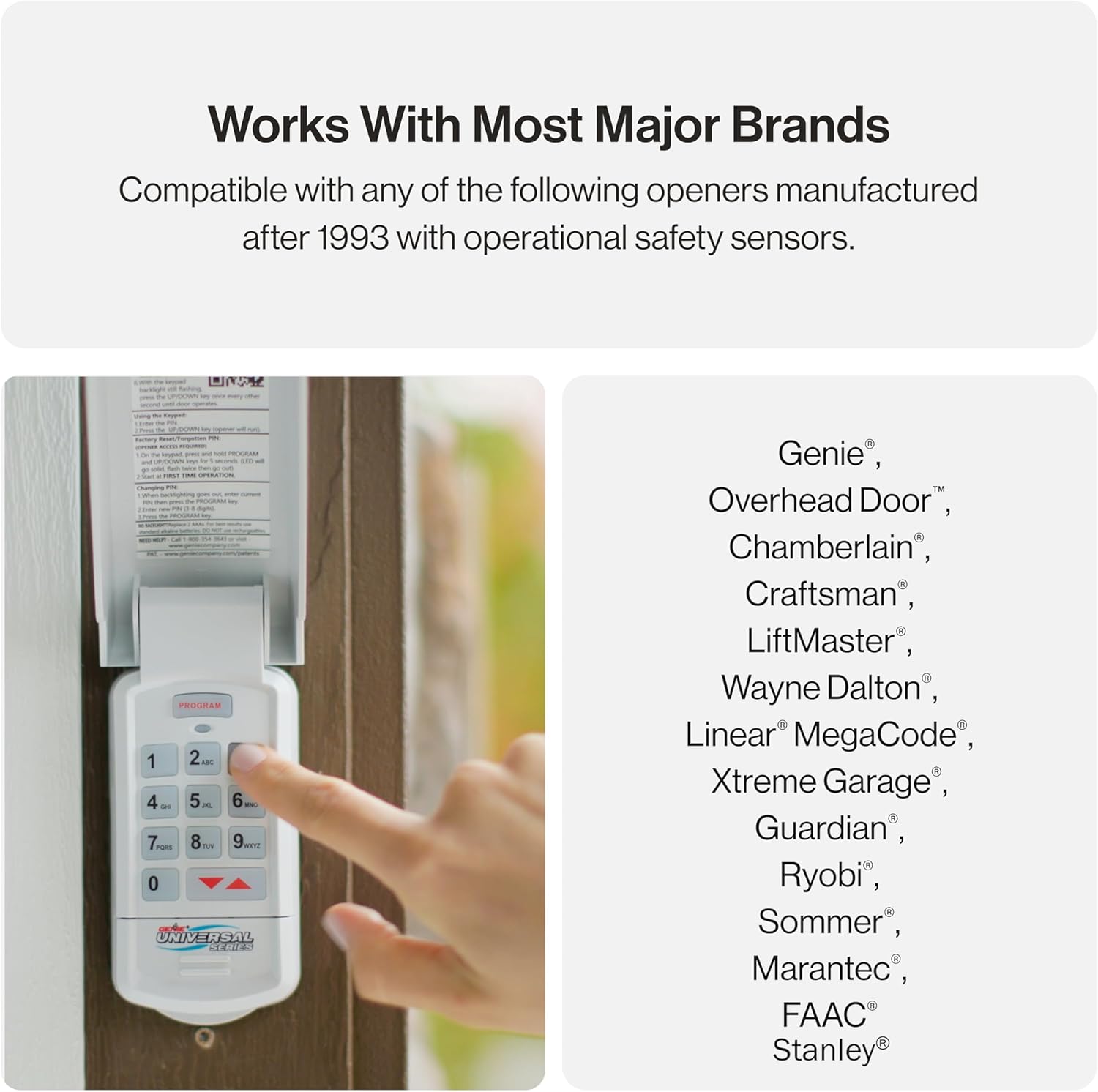
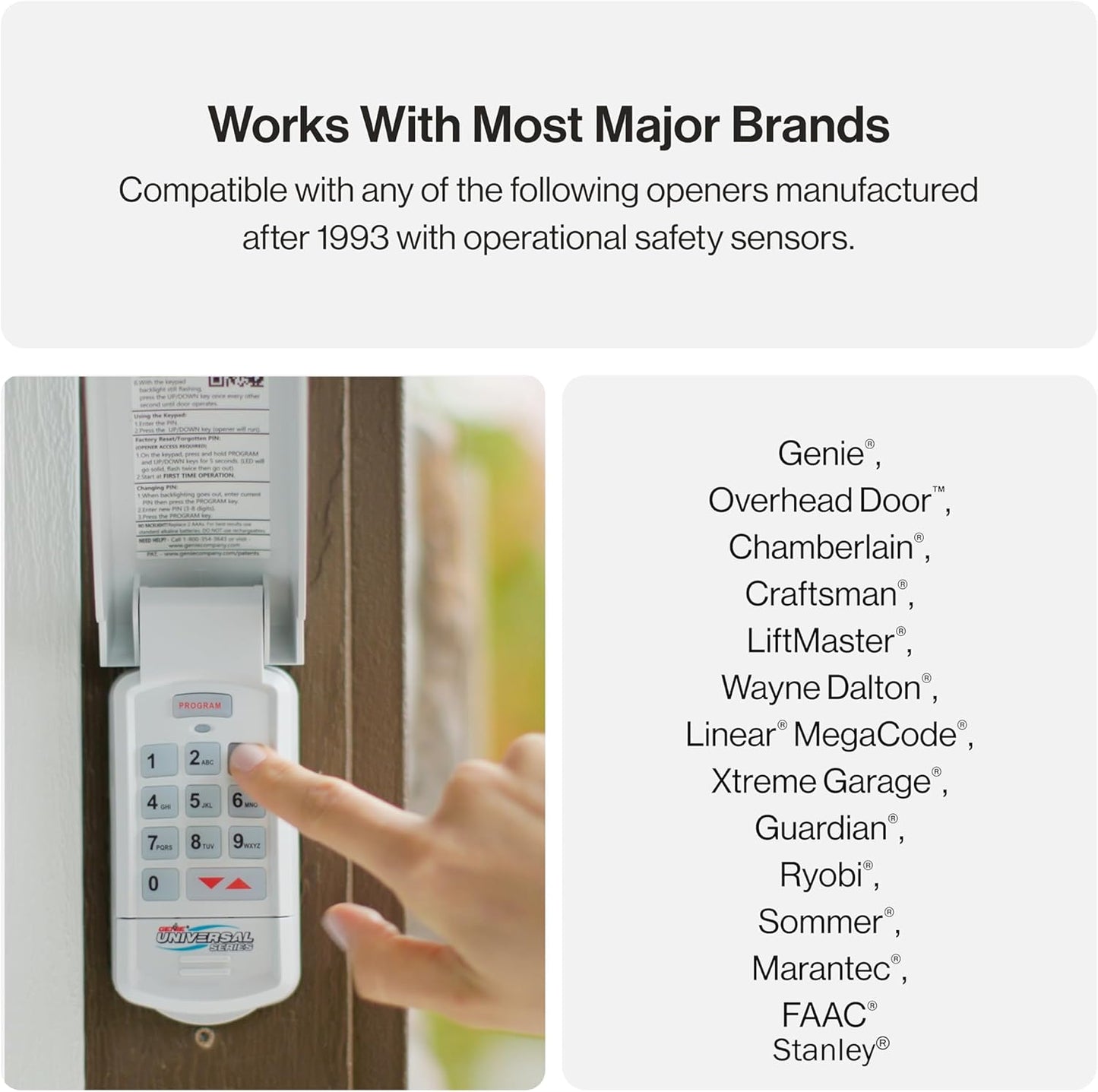
Looking for a convenient and versatile solution to control multiple garage doors? The Genie Universal Wireless Entry Keypad is your answer. This keypad is compatible with nearly all major garage door opener brands, including Genie, Chamberlain, LiftMaster, Craftsman, Ryobi, Marantec, Wayne Dalton, and more. Whether you're upgrading or replacing an old keypad, this product ensures seamless compatibility and reliable performance.
Key Features:
- Universal Compatibility: Works with most garage door openers in the USA manufactured since 1993, including rolling code and fixed code dip switch systems with safety sensors.
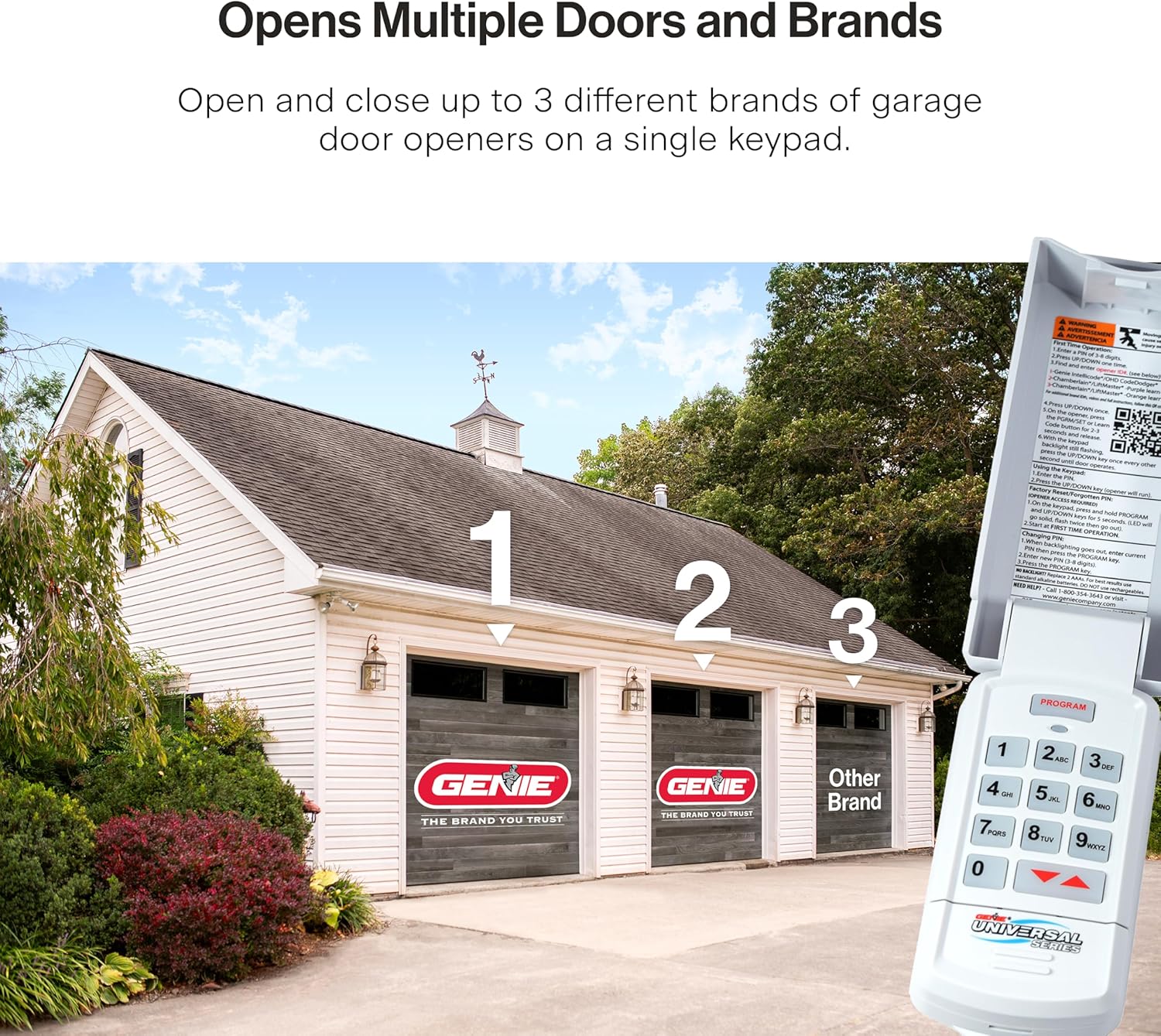
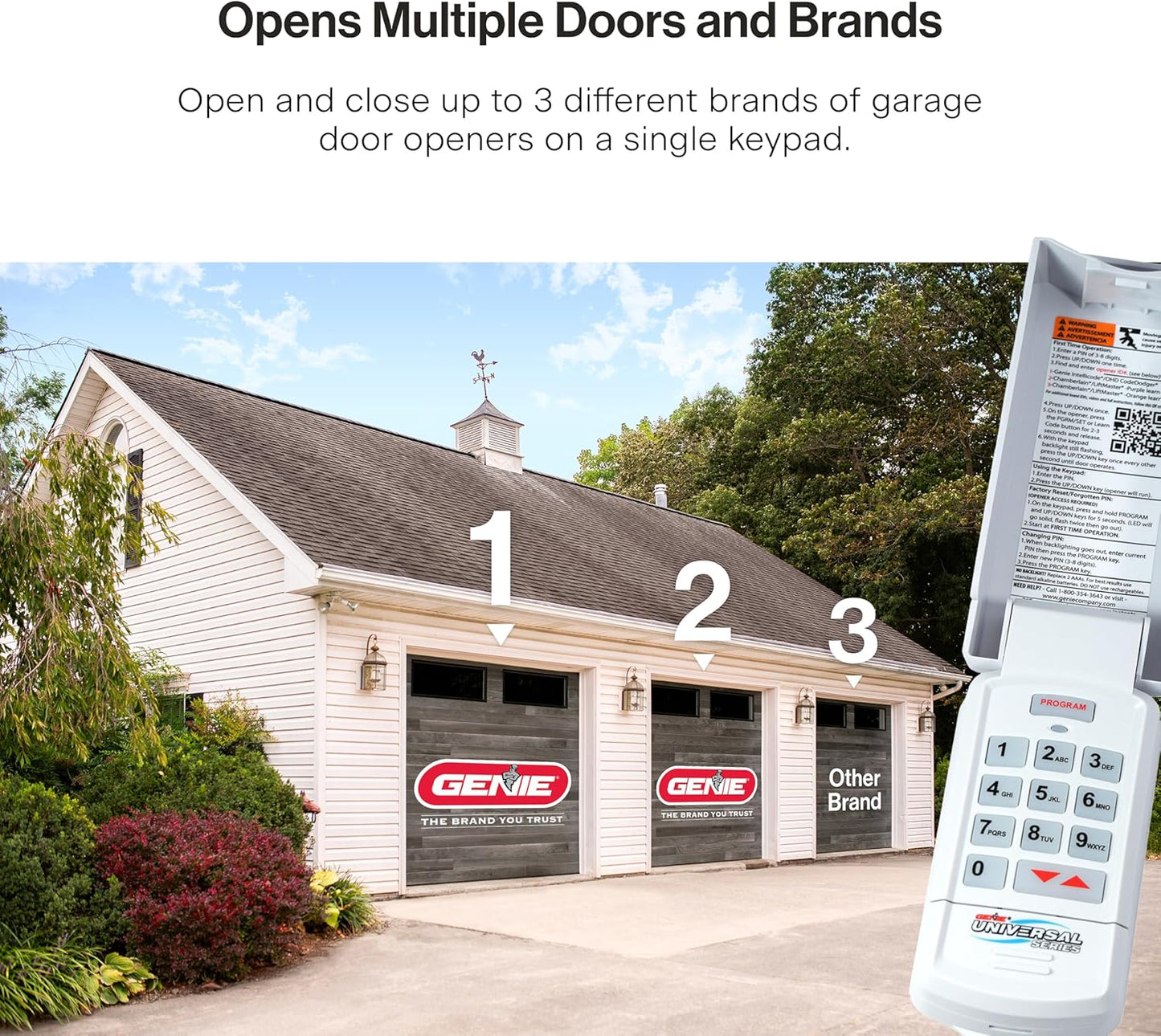
- Control Up to 3 Doors: Operate up to three garage doors or openers with one keypad, perfect for homes with multiple systems.
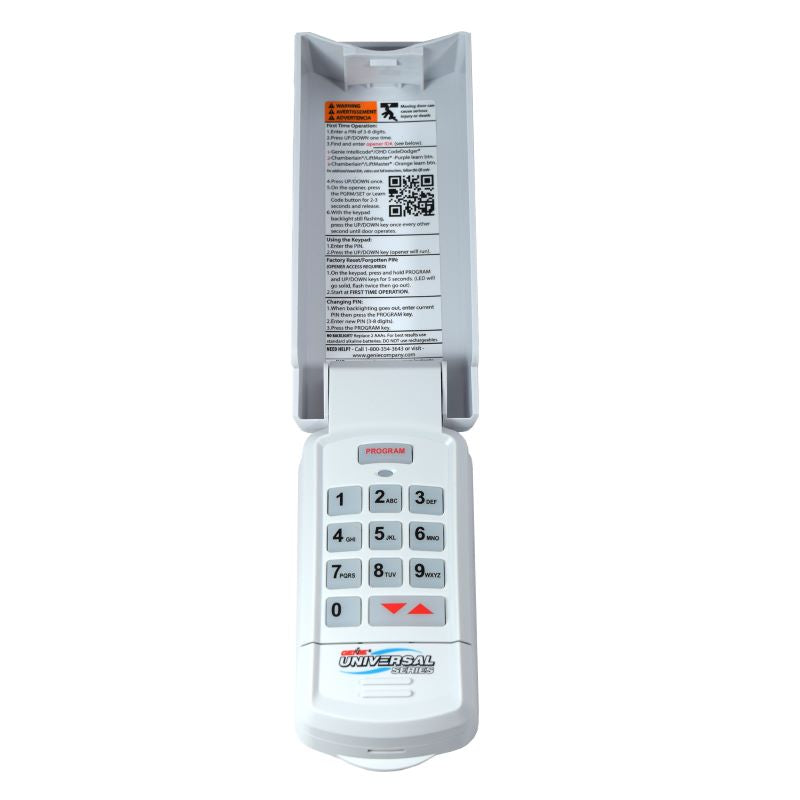
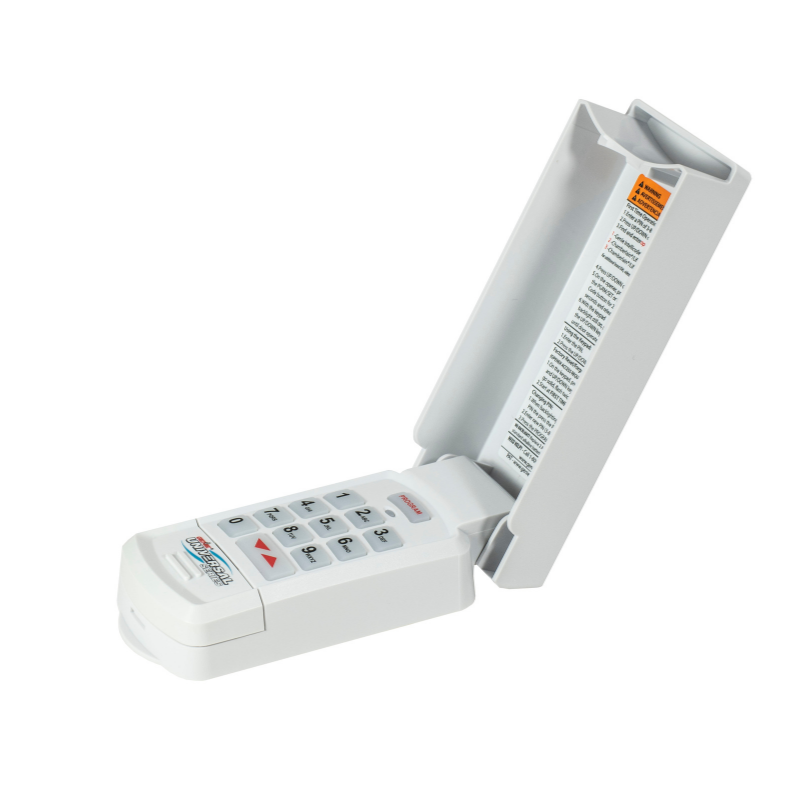
- Weather-Resistant Design: Flip-up cover protects the keypad from outdoor elements for long-lasting durability.
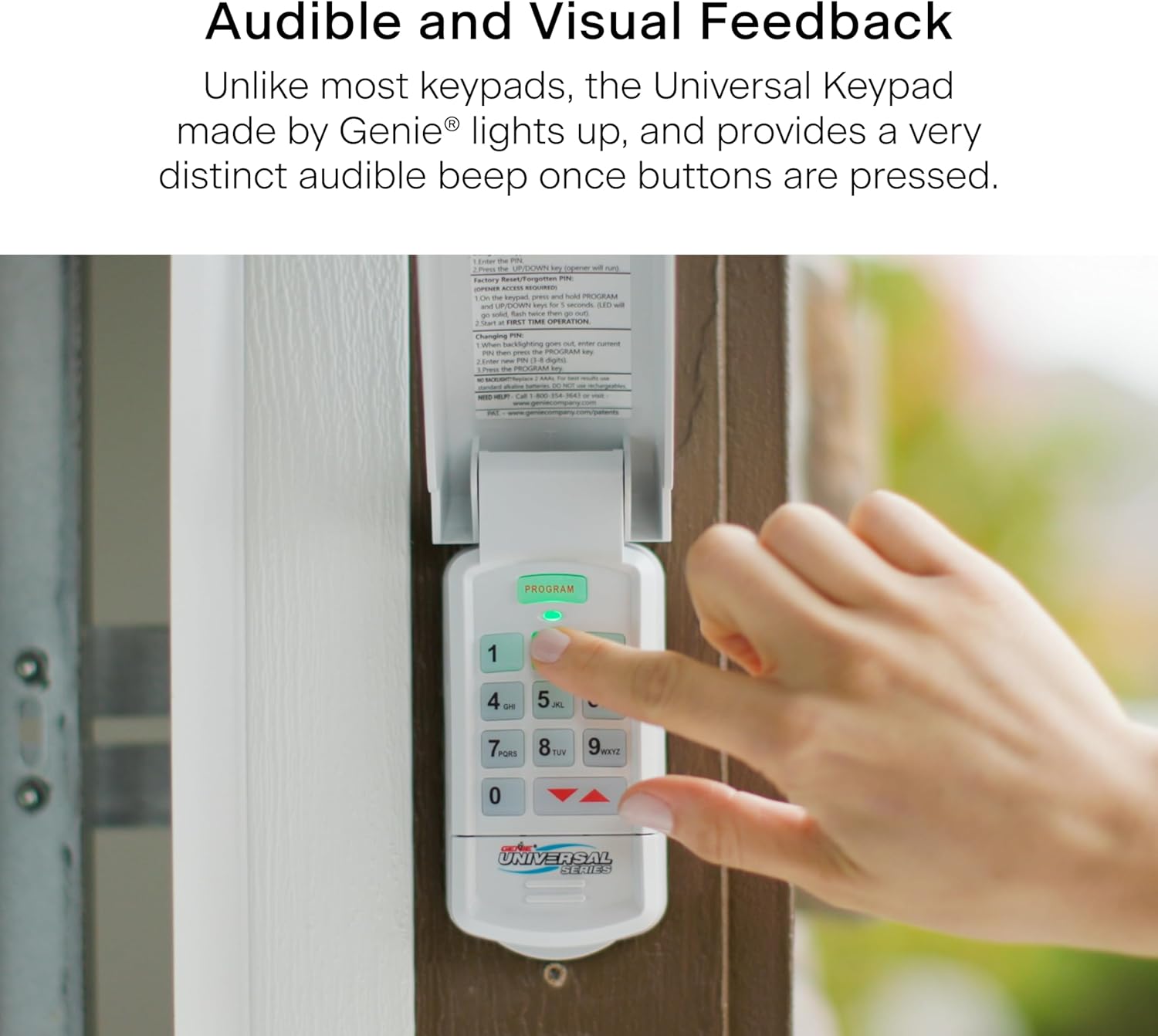
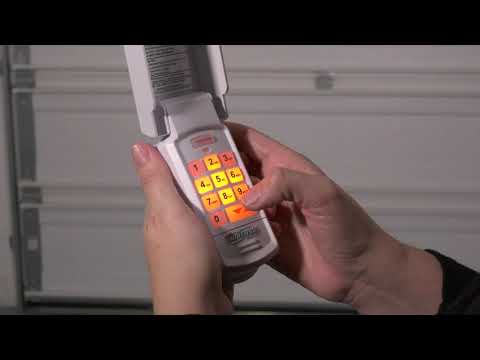
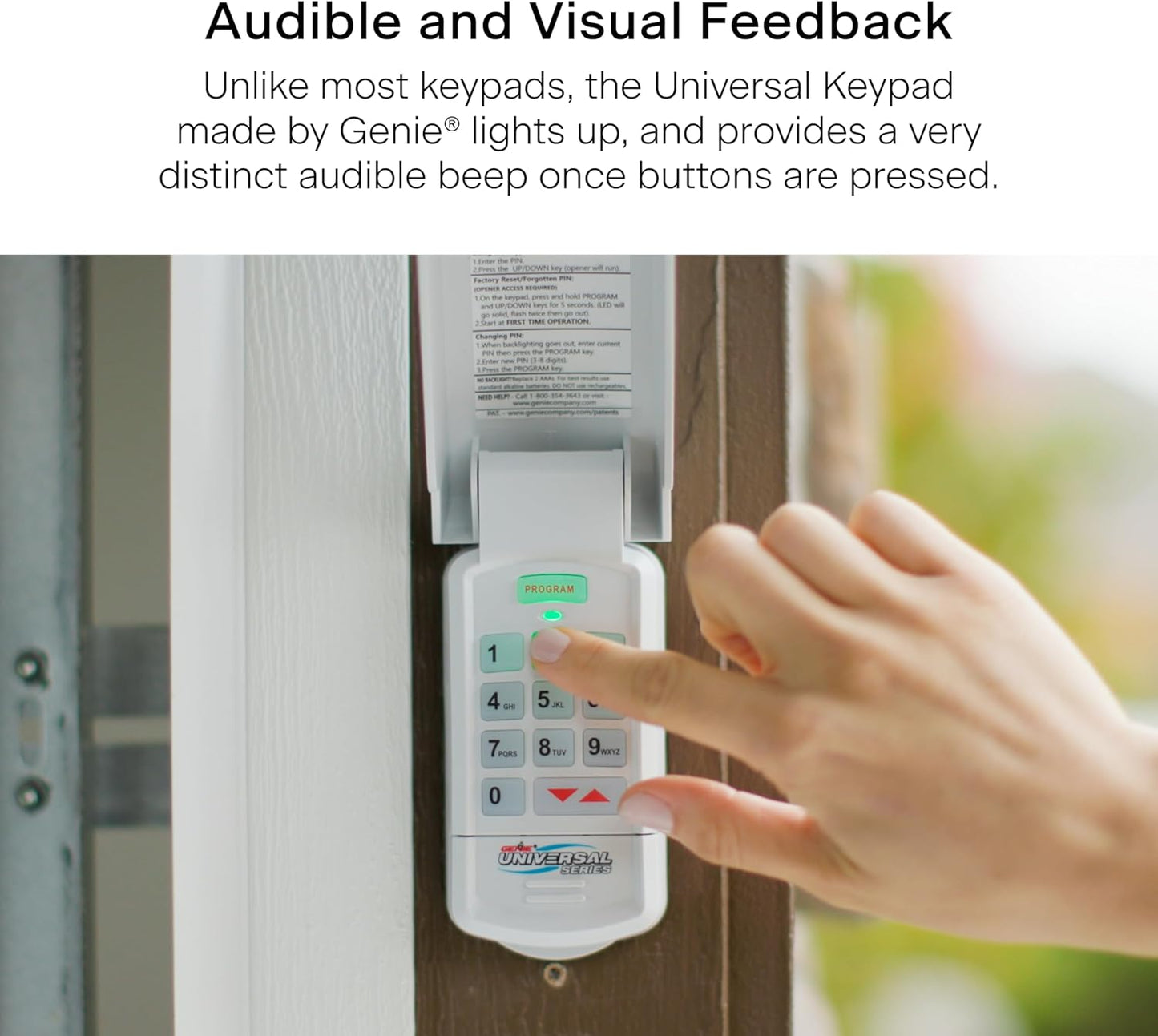
- Easy-to-Use Backlit Keys: Effortlessly enter your code, even in low-light conditions, with illuminated buttons.
- Audible Feedback: Each button press emits a tone, confirming your code has been entered correctly.
- Temporary PIN Feature: Create a temporary code for visitors, neighbors, or service professionals, which can be easily deleted.
- Quick Installation: Mount the keypad to your garage door frame in minutes with the included hardware.
- Modern, Sleek Design: Complements any home exterior with its minimalist aesthetic.
What's Included:
- Universal Wireless Keypad
- 2 x AAA Batteries
- Mounting Screws
- Step-by-Step Programming Instructions
Dimensions:
- 6" L x 2-3/8" W x 1-5/16" H
Upgrade your garage security and convenience today with the Genie Universal Wireless Entry Keypad. Its intuitive programming and universal compatibility make it an essential addition to any garage setup.
⚠ California Residents: Proposition 65 WARNING
SKU: 41248R
UPC: 050049022440
In Stock! Usually ships within 24 hours.
ASK A QUESTION View full details
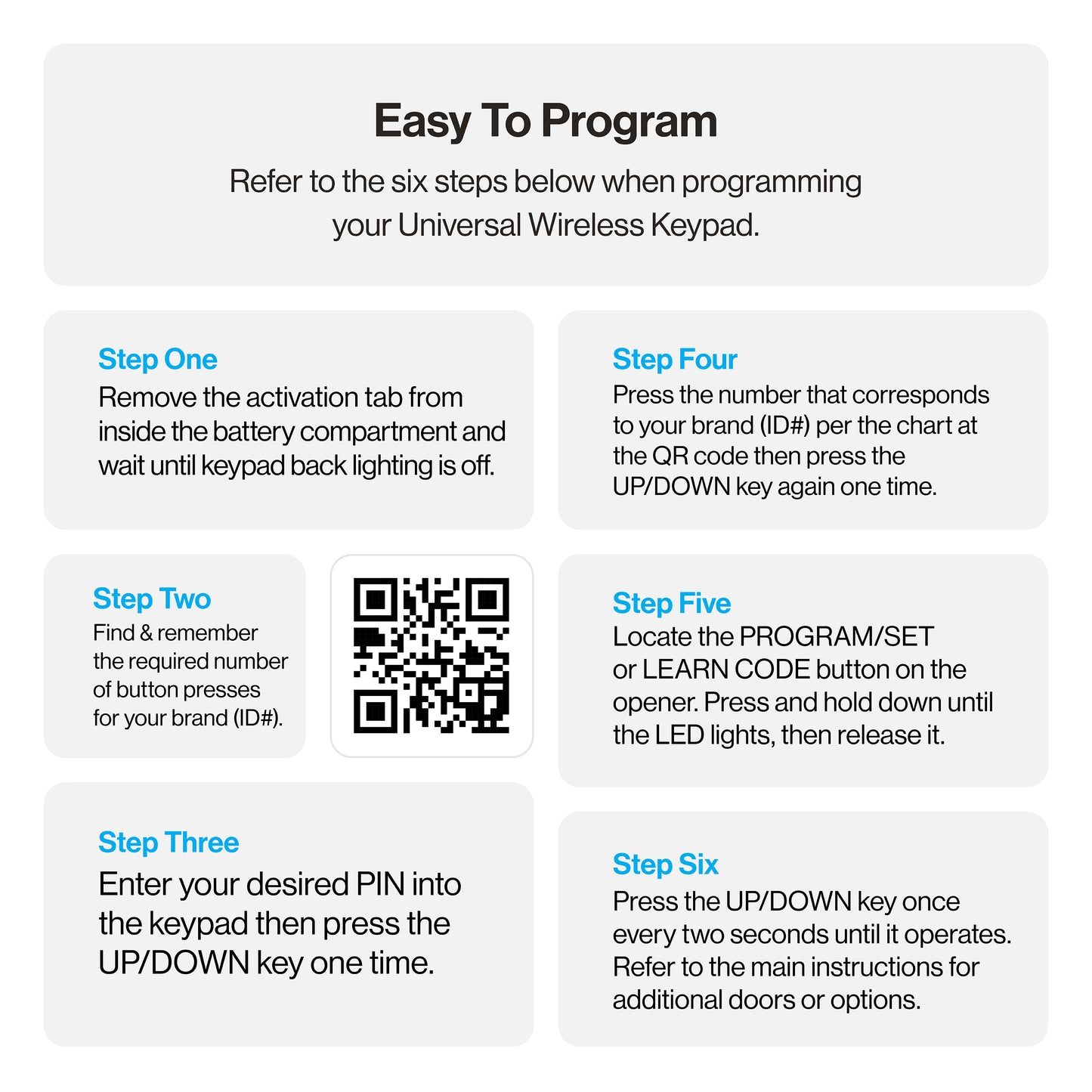


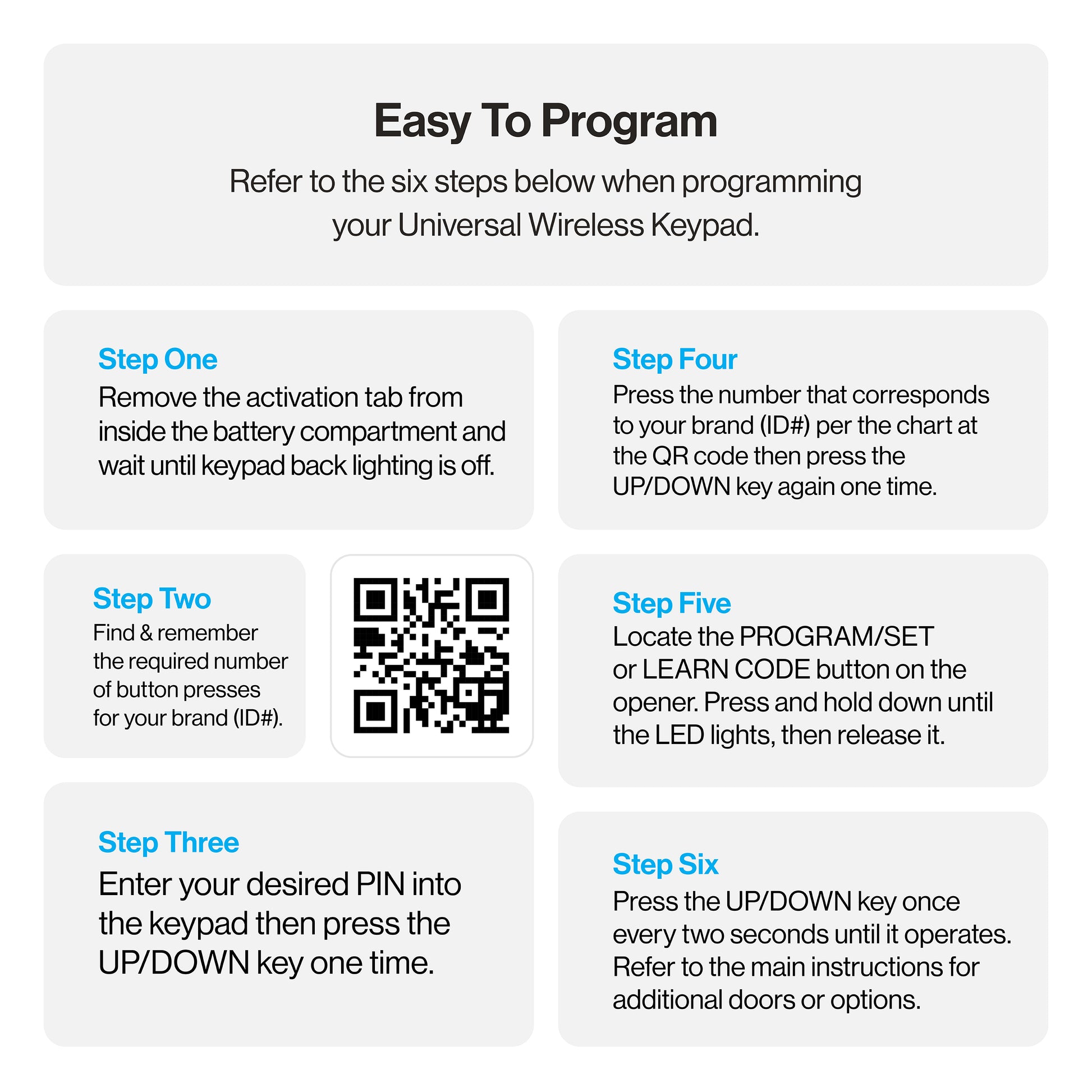
UNIVERSAL KEYPAD PROGRAMMING INSTRUCTIONS
UNIVERSAL KEYPAD INSTRUCTIONS FOR DIP SWITCH COMPATIBLE MODELS
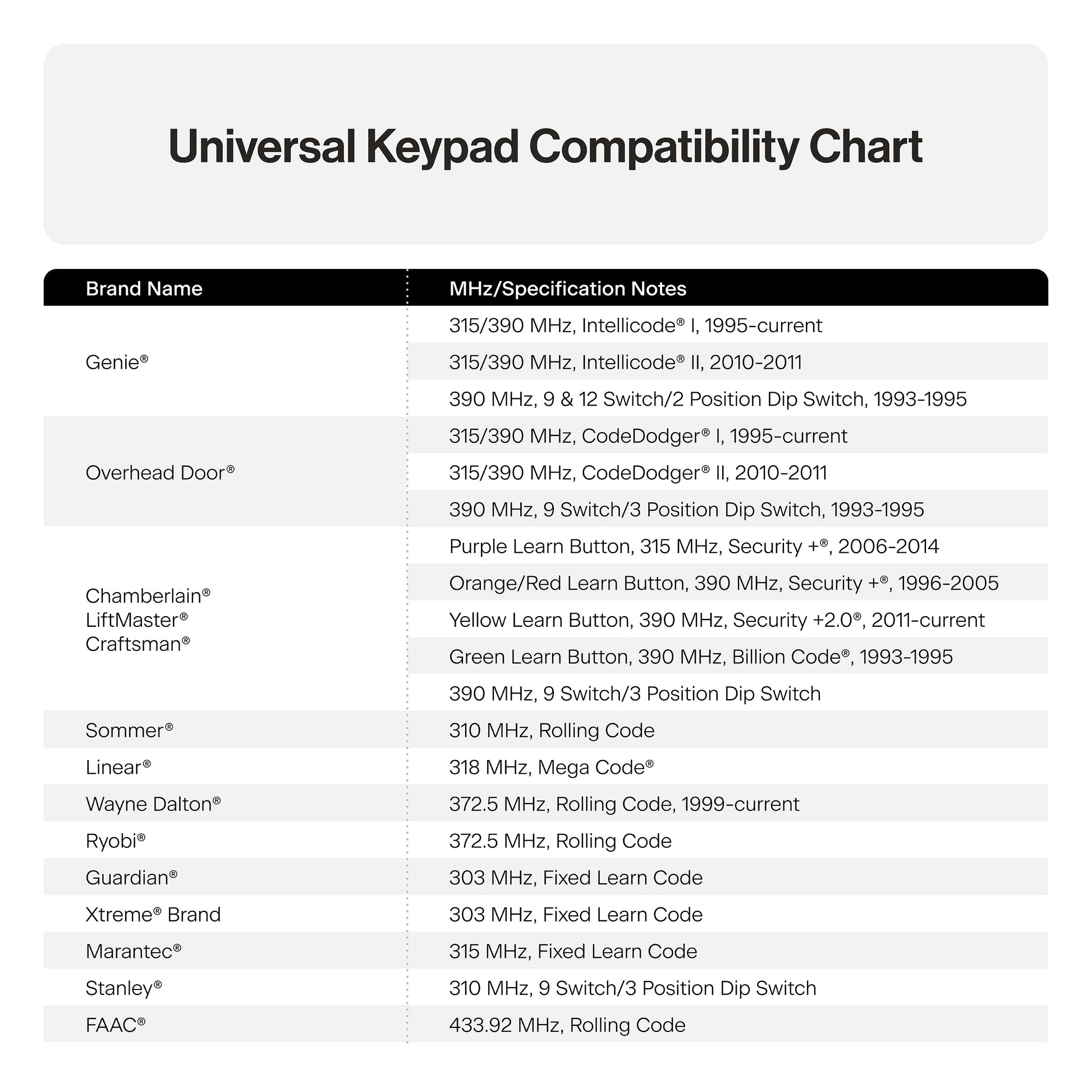
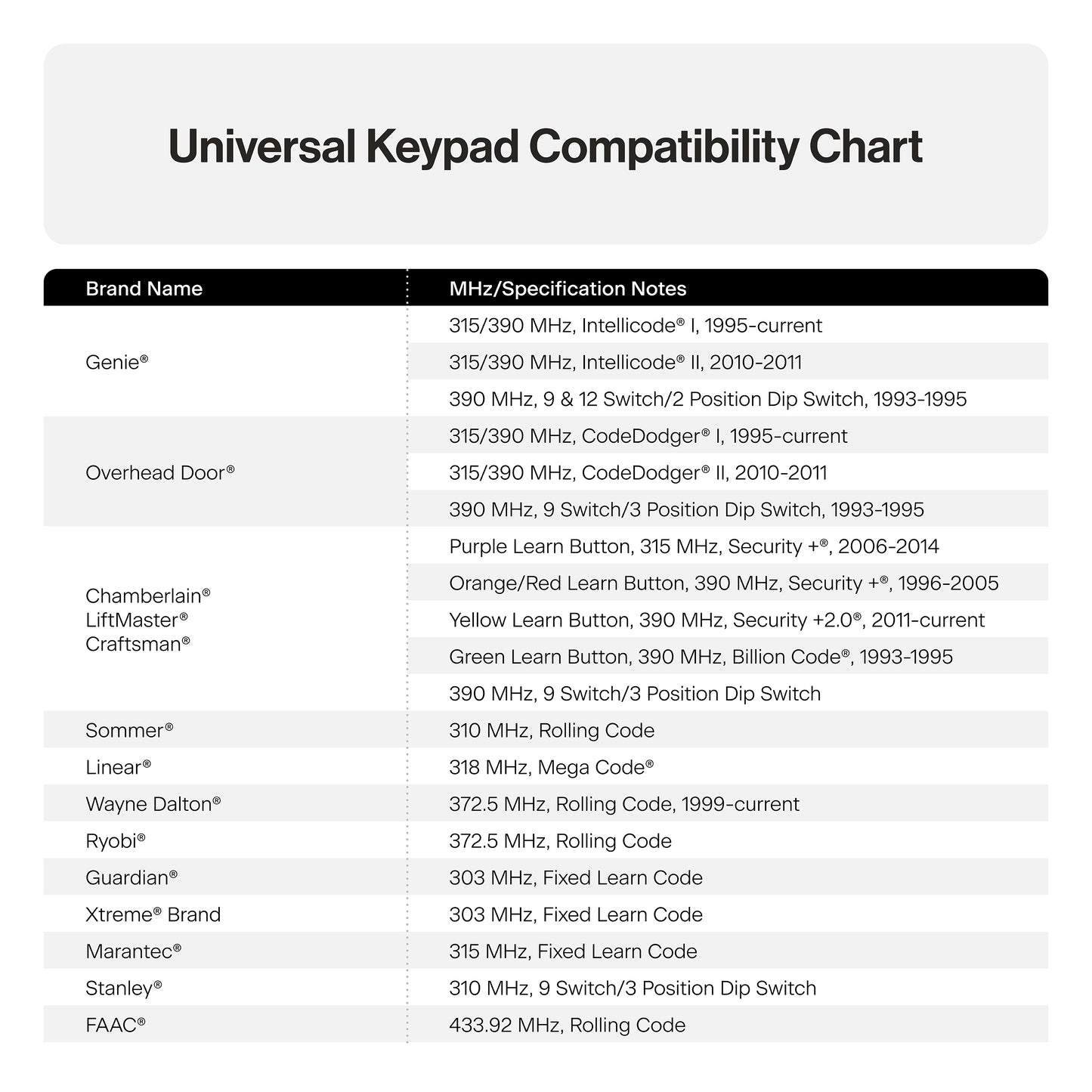
UNIVERSAL KEYPAD COMPATIBILITY CHART
Keypad Overview

IMPORTANT FEATURES OF THIS KEYPAD
An audible beep will sound with every key pressed.
Keypad will operate up to 3 doors with one PIN number.
A temporary PIN can be set for convenient non user access.
Do not press the LEARN button for longer than the noted 2-3 seconds as it could cause the operational remotes to no longer work.
Below are the brands and specifications that this keypad is compatible with. Find the ID# in Chart A below that references your specific opener specification. You will need this number during programming. Refer to STEP 1 to find the type and/or LEARN/PROGRAM button.
DIP switch models are noted with an asterisk--- after STEP 2 in this instruction, please visit our website for instructions on models with these specifications: www.geniecompany.com/dipswitchesGUK

STEP 1 - FIND SPECIFICATIONS & LEARN/PROGRAM BUTTON
- Locate the brand and opener/receiver specificatkms for the device by consulting the label on the opener/receiver, the instruction manual, the current remote controls for the opener, or the original manufacturer or the opener/receiver.
- Find the LEARN/PROGRAM button on the device - shape, color or name of this button could vary by brand.For garage door openers, be sure to check under the light covers. For commercial openers, this button may be on the circuit board or the opener. In some cases, this button could also be on an external receiver that is mounted on or nearby the product. Consult the devices manual if needed.
STEP 2 - CLEARING THE KEYPAD
Perform this task first before setting the PIN or at anytime the keypad needs to be reset to its factory default:
- Remove activation tab from inside battery compartment.
- Press both the PROGRAM & UP/DOWN keys at the same time and hold for 5 seconds. (tone will sound) -then release (green LED will flash and go out).
- The keypad is now ready to be programmed. Start at STEP 3.
If the opener/receiver has dip switch technology, please move to the alternate instructions listed on our website at this time: www.geniecompany.com/dipswitchesGUK
STEP 3 - PROGRAMMING TO ONE OR MORE OPENERS
This keypad can be programmed to up to 3 individual garage door openers in any combination of manufacturer specifications. You will need your opener ID# from Chart A for these steps. To start over at any time, start at STEP 2 - CLEARING THE KEYPAD

STEP 4 - USING THE KEYPAD TO OPERATE OPENERS
 ADDITIONAL PROGRAMMING

MOUNTING KEYPAD/REPLACING BATTERIES

1. How many different openers can you control with the Genie Universal Keypad?
- With the Genie Universal Keypad, you can control a combination of up to 3 different garage door openers. Each of the 3 openers can be programmed individually of the others so having multiple brands of openers controlled by a single keypad is not a problem.
2. Are any manufacturer settings of the Genie Universal Keypad preprogrammed?
- No, the Genie Universal Keypad does not come pre-programmed with any
specific manufacturer brands/specifications.
3. Does the Genie Universal Keypad have a pre-programmed PIN number?
- No, the Genie Universal Keypad does not come with a pre-programmed PIN
number. The PIN number for the keypad is set during programming.
4. What kind of batteries does the Genie Universal Keypad use?
- The Genie Universal Keypad uses 2xAAAs. You can access the batteries by
removing the battery cover on the front lower portion of the keypad.
5. Why does the keypad beep every time I press a button?
- The Genie Universal Keypad will emit a tone each time a button on the keypad is properly pressed. This gives the user an audible sound to confirm their button
the press has been received by the keypad.
6. Why does the Genie Universal Keypad operate the door without the PIN?
- The Genie Universal Keypad will stay active for 15 seconds after the door has
moved for security reasons (should you need to move the door again quickly).
7. What openers are compatible with the Genie Universal Keypad?
- Control the most popular brands of garage door openers such as Genie®, Overhead Door®, Chamberlain®, Linear®, Wayne Dalton®, plus many more! Over time, we will implement additional manufacturers which means the
compatibility list can and will change. You can use this link to find the most up-to-date compatibility chart.
8. Will the Genie Universal Keypad work with any other brands/specifications other than what is on this list?
- For rolling code brands/specifications, no, the keypad will not work on any other brands/specifications other than what is listed. For dip switch
brands/specifications, it is possible if they are on the same MHz, however,
without proper testing of individual units, this cannot be confirmed. Also, please
remember, Genie operator accessories should only be used on products
produced 1993 and after that have functional safety sensors.
9. Does the Genie Universal Keypad use dip switches?
- The Genie Universal Keypad does not use physical dip switches, but it does use
“virtual dip switches” – or dip switch codes created by using specific button
presses on the keypad. Once in the mode to receive dip switch input, the user
will press 1=UP, 2=MIDDLE, and 3=DOWN to represent the location of trinary dip switches or 1=UP, 2=DOWN for binary dip switches.
10. How do I clear out the Genie Universal Keypad and return it to the factory
settings?
- Press both the PROGRAM & UP/DOWN keys at the same time and hold for 5
seconds (a tone will sound) - then release both buttons. The green LED will flash
and go out. Perform this task first before setting the PIN or at any time the keypad needs to be reset to its factory default.
11. When working with Chamberlain®/LiftMaster®/Craftsman® Yellow Learn Button units, I am having trouble programming the universal keypad to the operator head/receiver.
- When programming a Chamberlain/LiftMaster/Craftsman operator with the yellow learn button, be sure to follow the specific programming instructions for these units. After preparing the keypad to receive a yellow learn button unit, on the garage door opener:
1. Press the yellow LEARN button for 2-3 seconds and then release
2. On the keypad, press and release the UP/DOWN button once every 2
seconds until the garage door opener operates. Let it run until it stops.
TIP: As soon as the opener activates, DO NOT press any additional buttons until the opener stops running.
3. With the keypad backlight still flashing, repeat steps 1 and 2 above.
TIP: As soon as the opener activates, DO NOT press any additional buttons until the opener stops running.
Programming is complete.
12. What is the trick when working with Marantec® products?
- If there are no other remotes or keypads being used with the Marantec opener,
follow the Genie Universal Keypad instructions to program.
If you already have a Marantec remote(s) paired to the operator and you program the Genie Universal Keypad, the keypad will work the opener, but the existing remote(s) will not.
In order to use a Genie Universal Keypad with a Marantec opener, you will need
to use a Genie Universal Remote as well. The TEACH & PAIR METHOD in
universal remote instruction can use the universal keypad you just paired to the
opener as the ‘existing operational remote’ and learn the proper code from the
keypad. When the TEACH & PAIR METHOD instructions call for the existing
operational remote, use the paired universal keypad in its place.
13. When working with any of the dip switch style units, do I still need to
program the keypad to the opener head?
- After entering the converted dip switch code into the keypad, there is no need to program to the opener head. When the UP/DOWN key is pressed, the opener will operate, and programming is complete.
-

Free Shipping
We offer FREE shipping and handling on all orders that total over $17.99 and are shipped to a US address. All orders are shipped using UPS ground, directly from The Genie Company.
-

Genuine Replacements
Buying GENUINE Genie accessories and parts guarantees that you are getting quality OEM materials backed by a Genie warranty.
-

Support
Need assistance? We are here for you! We offer a wide range of customer support options including contact by phone or email, web chat services with a live agent, and a robust support section also located on our website. All customer care teams and services are based in the USA.
