


The Genie Company
Wireless Keyless Entry Keypad GK2-R
Wireless Keyless Entry Keypad GK2-R
Couldn't load pickup availability
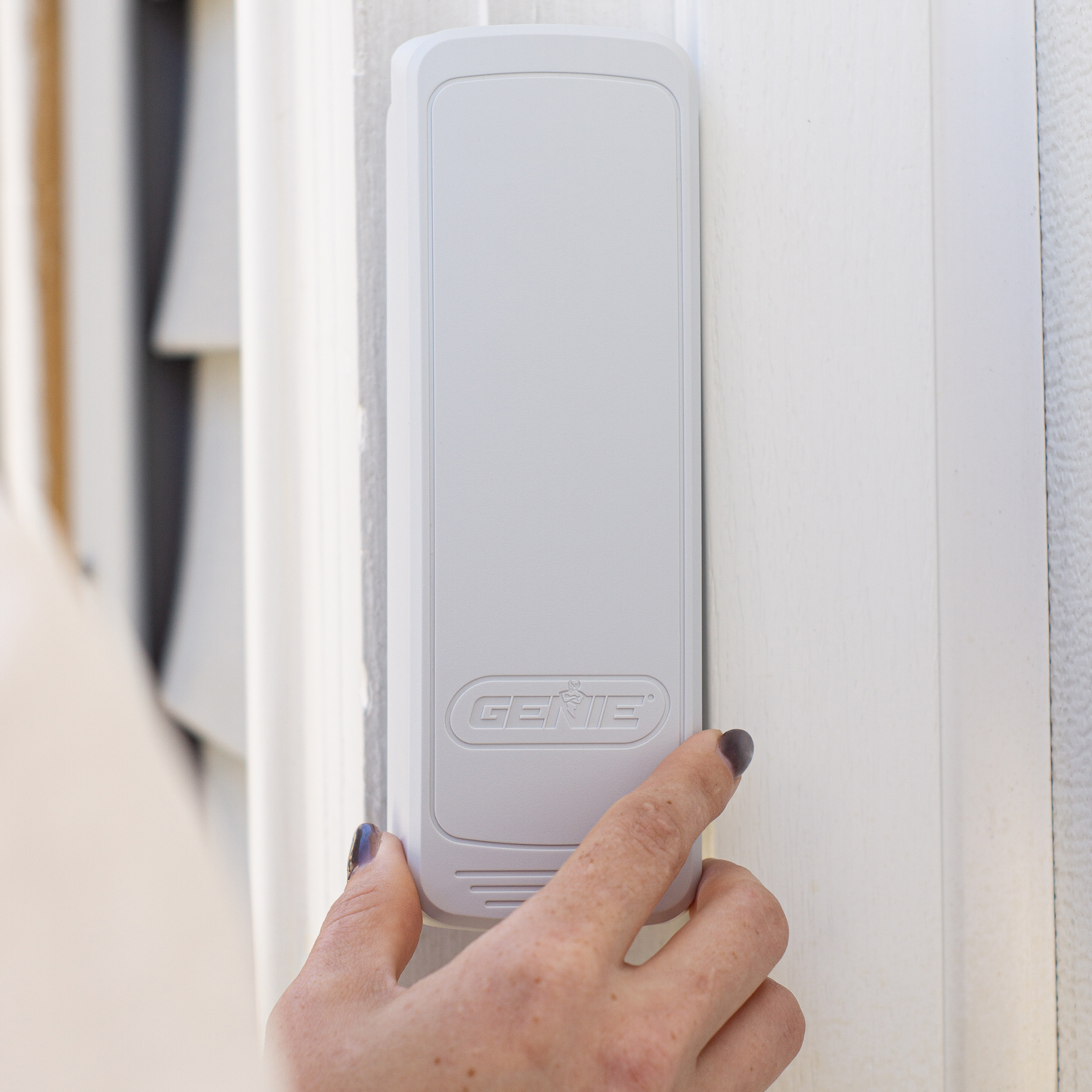
Genie’s Wireless Garage Door Opener Keypad system offers convenient access to your garage without the need for a remote or physical key. This garage door keypad includes Genie Intellicode Technology for added security. The large, durable keypad buttons. Our new keypad features larger buttons that improve visibility and make navigation easier for users.
The initial setup is quick and easy and can be completed in minutes. The keypad's flip-up cover protects the pin pad from the weather elements. It comes with a white cover, but you can choose from additional colors to customize its look depending on your garage door color scheme.
The keypad features a backlight, allowing you to enter your code safely even at night. The included x2 AAA batteries are easy to replace. Genie's Auto Seek Dual Frequency technology (315MHz/390MHz) ensures the garage door opener will respond despite possible frequency interference. The Intellicode technology changes the access code every time you use it, keeping your garage secure. If your garage door opener doesn't have a keypad, this is a quick and easy upgrade that can be added to any Genie garage door opener made since 1995.
- Keyless Garage Access. Enter your garage without needing to carry a key with the Genie wireless keyless entry pad.
- Genie garage door opener keypad is safe and secure: Intellicode Security technology changes the access code on each door activation to help prevent unauthorized access for extra safety.
- Large, durable buttons produce exceptional tactile and audible feedback
- Loaded with LEDs for bright, efficient backlighting
- Controls up to 3 Genie garage door openers
- 1-button close feature available with openers made July 2025 and after
- Allows a temporary PIN for guests such as repairmen or neighbors
- Low battery feature lights a red LED when batteries are low
- Flip-up cover protects the keypad from the elements
- Genuine Genie Accessory- with guaranteed performance.
- This model is a direct replacement for the Wireless Keyless Entry Keypad GK-R
- ⚠ California Residents: Proposition 65 WARNING
SKU: 42370R
UPC: 050049050290
In Stock! Usually ships within 24 hours.
ASK A QUESTION View full details


QUESTIONS & ANSWERS
Have a Question?
Be the first to ask a question about this.

KNOW BEFORE YOU BEGIN
- ‘Opener’ refers to the device mounted on the ceiling or wall near the garage
door’s spring bar. - Complete programming before mounting keypad.
- Keypad remains lit and active for 15 seconds after a successful PIN entry. Any
button press will activate the opener during this time. - Press the 7 & 9 keys at the same time to immediately end a sequence and turn the
backlighting off. - Model GK2-R can operate 3 doors. Model GK2-P can operate 6 doors.
PROGRAM PIN TO OPENER
- Remove battery tab from battery compartment.
- ON OPENER: Find button pad to begin programming mode.
-
- If you have a program (PRGM) or SET button (1), press and hold down
until the LED turns blue, then release. The purple LED begins flashing. - If you have a LEARN CODE button (2), press and hold down until the red
LED begins flashing, then release.
NOTE: Programming window times out at 30 seconds.
- If you have a program (PRGM) or SET button (1), press and hold down
3. ON KEYPAD: Press and hold * (STAR key) until green LED lights (@ 5 sec or less), then release. LED begins flashing.
4. ON KEYPAD: Enter desired PIN (3-8 digits) and, with keypad at arms length
away from opener, press UP/DOWN key once every two seconds until the
opener operates. (Program window ends 15 seconds after last button press).
5. Once backlighting turns OFF, TEST your PIN to complete setup.
• Programming a single garage door opener is complete. For additional
openers, repeat above steps for each.
GENERAL OPERATION
- Enter current PIN of selected door.
- Press and release UP/DOWN key. Opener will operate.
MOUNTING THE KEYPAD
Keypad MUST be mounted within sight of the garage door(s) at least 5 feet above
floor and clear of any moving door parts.
- Remove battery cover and batteries.

2. Drill a 3/32” pilot hole for the top mounting screw.
3. Install included screw into pilot hole, leaving 1/8” gap between the screw
head and wall.
4. Hook the slotted mount on back of keypad over the screw.

5. Mark and drill a 3/32” pilot hole for the bottom screw and secure keypad to
the wall. (Do not over-tighten).
6. Reinstall batteries.

ADDITIONAL FEATURES & SETTINGS
Change an existing PIN:
1. Enter current PIN of selected door.
2. Press and hold * (STAR key) until green LED flashes (@ 5 sec), then release.
3. Enter NEW PIN for selected door (3-8 digits).
4. Press and release * (STAR key) one time. LED flashes two times to confirm.
• PIN has been changed and previous PIN will no longer operate the opener.
Set a temporary PIN:
- Enter current PIN of selected door.
- Press and hold the * (STAR key) until green LED turns SOLID (@ 10 sec), then
release. - Enter TEMPORARY PIN (3-8 digits).
- Press and release * (STAR key) one time. LED flashes two times to confirm.
• Temporary PIN is active until the existing PIN is used again.
Clear one PIN at a time:
- Press and hold * (STAR key) until red LED flashes (@ 10 sec), then release.
- Enter the PIN you want to delete.
- Press and release *(STAR key) one time. LED flashes two times to confirm.
• This PIN has been cleared from the keypad.
Clear all PINS and settings:
- Press and hold * (STAR key) until red LED turns SOLID (@ 20 sec), then
release. LED flashes two times to confirm.
• Keypad is reset to factory default.
1-Button close feature:
This feature works on openers made August 2025 or later (first 5 digits of the
serial number is 25213 or higher). If UP/DOWN key is pressed when keypad
backlights are off, any door that is not already at its down limit WILL CLOSE.
Default setting is ON.
To turn feature ON/OFF for ALL doors, repeat this process:
This feature works on openers made August 2025 or later (first 5 digits of the
serial number is 25213 or higher). If UP/DOWN key is pressed when keypad
backlights are off, any door that is not already at its down limit WILL CLOSE.
Default setting is ON.
To turn feature ON/OFF for ALL doors, repeat this process:
- Press and hold the 1 & 9 keys at the same time until the blue LED flashes.
• If the LED flashes 4 times, the feature is off.
• If the LED flashes 2 times, the feature is on.
To turn ON/OFF BY PIN, repeat this process:
- Enter PIN, then press and release * (STAR key) two times.
• If the LED flashes 4 times, the feature is off.
• If the LED flashes 2 times, the feature is on.
Lockout feature:
After 10 wrong PIN attempts in a row, the keypad locks for 5 minutes. To restore
function, wait 5 minutes or remove and reinsert the batteries. Default setting is
OFF.
To turn ON/OFF, repeat this process:
- Enter valid (non-temporary) PIN, then press and release the * (STAR key) one
time. Press and hold the 5 & 9 keys at the same time until blue LED flashes,
then release.
• If the LED flashes 4 times, the feature is off.
• If the LED flashes 2 times, the feature is on.
LOW BATTERY/BATTERY REPLACEMENT
A single red LED (or no backlighting) indicates batteries need to be replaced.
Programming will not be lost during battery change.
• Remove (2) AAA batteries and replace with new batteries of same type.
Check for proper direction of (+) and (-) terminals. Rechargeable batteries
are NOT recommended.
• Change batteries on a yearly basis for best performance.

FCC/IC Statement:
This equipment contains licence-exempt transmitter(s)/receiver(s) that comply with Part 15 of the FCC Rules, ICES-003 Class B specifications, and ISED Canada’s
licence-exempt RSS(s). Operation is subject to the following two conditions: (1) this device may not cause harmful interference, and (2) this device must accept any
interference received, including interference that may cause undesired operation. Changes or modifications not expressly approved by the party responsible for
compliance could void the user’s authority to operate the equipment. This equipment complies with the RF exposure limits established by the FCC and ISED for an
uncontrolled environment. Compliance with SAR requirements has been demonstrated through calculations, confirming that the RF exposure remains below the
applicable threshold for use with 0 mm separation from the body.
| Model Number: | GK-R or GK-BX |
| Part Number: | 37224R |
| Description: | Genie Intellicode Keypad |
 |
|
| If you have either of the below garage door opener keypads, a replacement keypad can be the Genie model GK-R. | |
| Genie keypad- white with round buttons | Black Slide up cover Genie Keypad |
 |
 |
| Old Keypad model GWKP | Old Keypad model GWKIC |
| (Part 35282R) | (Part 34967R) |
What openers are compatible with the new Wireless Keyless Entry Pad, Model GK2?
The Wireless Keyless Entry Pad Model GK2 is compatible with any Genie Intellicode opener manufactured since 1995.
What features and benefits are available with the Wireless Keyless Entry Pad, Model GK2?
The Wireless Keyless Entry Pad Model GK2 has the following features and benefits:
-Opens and closes the garage door after a correct PIN entry.
-Large, durable buttons produce exceptional tactile and audible feedback.
-Loaded with LEDs for bright, efficient backlighting.
-Simplified programming for single and multiple door scenarios.
-Control up to 3 different garage door openers with the Model GK2-R or 6 different garage door openers with the Model GK2-P.
-Set a temporary PIN for normally unauthorized users such as repair personnel or neighbors.
-Delete PINs from keypad one at a time or delete all PINs at once.
-‘1-button close’ feature available with openers made August 2025+.
-Press the 7 & 9 keys at the same time to end any process or programming sequence immediately (backlighting turns off).
-Lockout feature disables keypad after 10 consecutive incorrect PIN attempts.
-Low battery feature lights a red LED when batteries are low.
What kind of batteries does the Wireless Keyless Entry Pad Model GK2 use?
The keypad uses 2xAAAs. You can access the batteries by removing the battery cover on the front lower portion of the keypad. Batteries should be replaced yearly for optimal device performance. Consider lithium batteries for extreme temperature locations.
How many openers can the Wireless Keyless Entry Pad Model GK2 control?
You can control up to 3 different garage door openers with the Model GK2-R or 6 different garage door openers with the Model GK2-P. The programming for each opener is the same, simple process each time.
5. Does the Genie Wireless Keyless Entry Pad Model GK2 have a pre-programmed PIN number?
No, there is no pre-programmed PIN number. The user sets any/all PINs at the time of programming.
6. Why does the Genie Wireless Keyless Entry Pad Model GK2 operate the door without the PIN?
There are two reasons the keypad can/will operate without a PIN being immediately entered prior:
1. This keypad is capable of initiating a ‘1-button close’ feature when used on Genie openers that are also capable of that feature. All residential openers + the commercial light duty trolley opener that were made August 1, 2025 or after have this capability. If the door(s) is in the ‘open’ position and the UP/DOWN button is pressed, the door(s) will automatically close. If the opener was made August 1, 2025 or later (first 5 digits of the serial number are 25213 or higher), this feature is active and enabled as a default setting. If you would like to turn this setting OFF completely or by individual opener PIN, refer to the instructions on the Model GK2 product pages found at www.geniecompany.com.
2. After a correct PIN entry and the door moves, the keypad backlighting will remain lit and the keypad will stay active for 15 seconds AFTER the door has moved. During these 15 seconds (backlighting on), ANY BUTTON PRESS will move the door again. This is for security reasons in case you need to move the door again quickly.
7. How do I know when my opener was made (to know if it has the 1-button close feature capability)?
To find the year your opener was manufactured, look for this format near the model information on the opener:

If the first 5 numbers say:
-25213 or higher, you can use the console only.
-25212 or lower, or if there is another format showing, you will use the console + the opener light sensor.
8. Is it possible to clear a PIN(s) from the keypad?
Yes, it is possible to clear an individual PIN and/or all PINs at once from the keypad. Refer to the instructions on the Model GK2 product pages found at www.geniecompany.com.
9. Is it possible to paint the keypad lid (plastics) a different color?
Yes, you can paint the keypad plastics! Clean the surface(s) thoroughly and follow the directions for a high-quality spray paint specifically for plastics – like Rust-Oleum® for Plastics (paint/primer).
Also, keypad lids in alternate colors (white, almond, gray and tan) are available for sale through your local Genie Dealer or online at www.geniecompany.com. Make sure the lids are compatible with the Model GK2 prior to purchasing.
-

Free Shipping
We offer FREE shipping and handling on all orders that total over $17.99 and are shipped to a US address. All orders are shipped using UPS ground, directly from The Genie Company.
-

Genuine Replacements
Buying GENUINE Genie accessories and parts guarantees that you are getting quality OEM materials backed by a Genie warranty.
-

Support
Need assistance? We are here for you! We offer a wide range of customer support options including contact by phone or email, web chat services with a live agent, and a robust support section also located on our website. All customer care teams and services are based in the USA.
